The announce emoji 📢 is a simple way to make a message feel noticeable, energetic, and intentional. Whether you are sharing news in a WhatsApp group, posting an Instagram update, or adding context to a TikTok caption, the right symbol can change how your words feel. Understanding emoji meanings also helps you avoid using a symbol in a way that feels confusing or out of place. This guide explores useful announcement-style emojis, copy-paste ideas, platform tips, and current emoji trends in 2026.
The right announce emoji can turn an ordinary message into something people notice.
What do announce emoji mean?
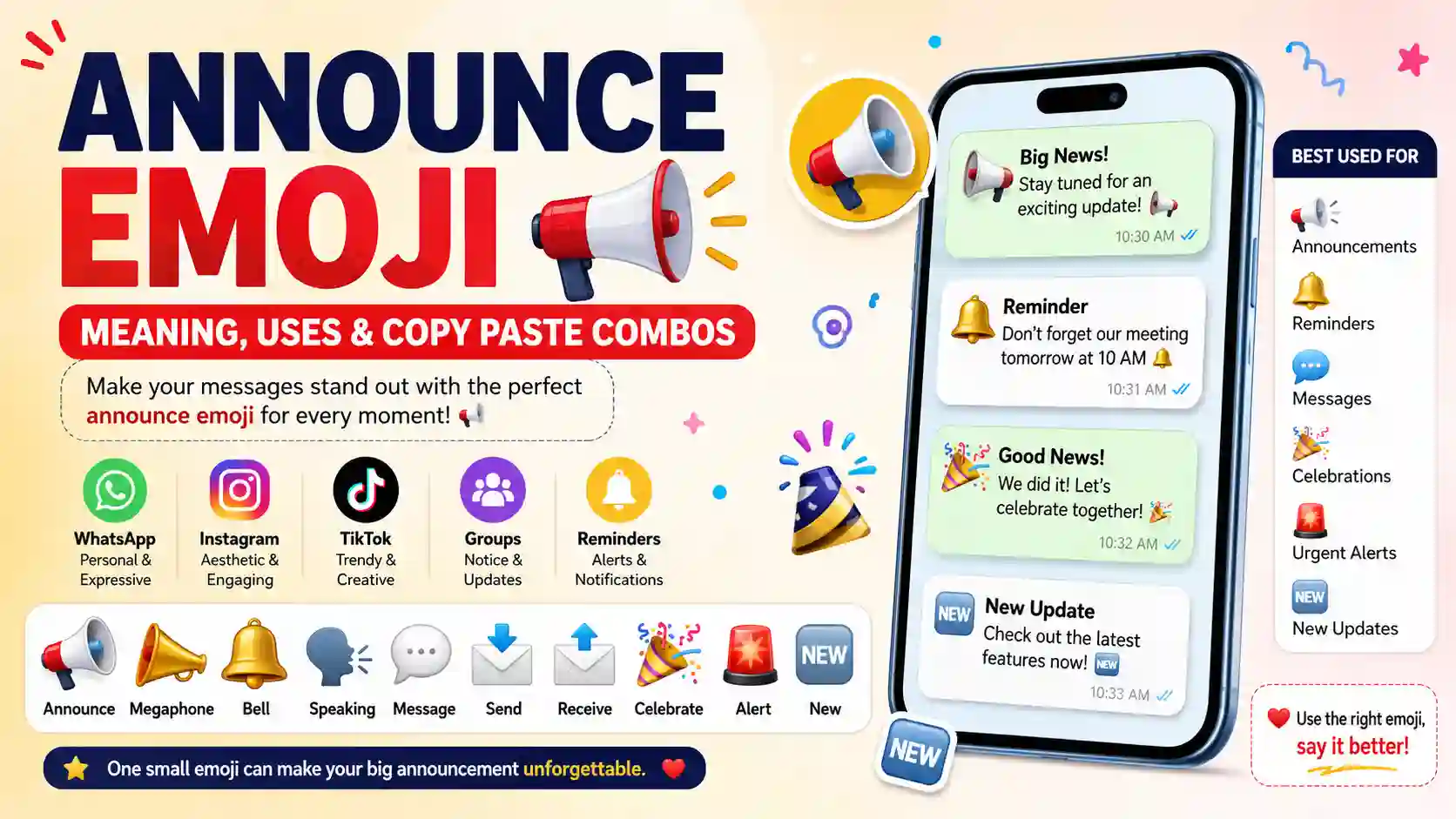
The phrase “announce emoji” usually refers to emojis that visually suggest sharing news, calling attention, sending information, or celebrating an update. The most recognizable choice is 📢, but several related symbols can add different shades of context.
📢 is useful when you want to draw attention to important information. It can feel like a public announcement, reminder, update, or headline.
📣 can make a message feel louder and more energetic. It works particularly well when you want people to notice an event, reminder, or exciting update.
🔔 often suggests a notification or reminder. In everyday messaging, it can make an announcement feel like something worth checking or remembering.
🗣️ can connect an announcement with speaking or sharing something directly. It is useful when the message feels personal rather than purely informational.
💬 can make an announcement feel conversational. Instead of sounding like a formal notice, it can introduce a message, discussion, or important conversation.
📩 can suggest information being sent or delivered. It fits messages where the focus is on sharing an update with someone.
📨 has a similar communication role and can make a message feel connected to sending information.
🎉 adds a celebratory angle when the announcement involves good news, an achievement, or an event.
🚨 creates urgency and should be reserved for messages that genuinely need immediate attention.
🆕 highlights something new, making it useful for launches, updates, new content, or fresh announcements.
Table 1:
| Emoji | Core meaning | Misread as | Best used when |
|---|---|---|---|
| 📢 | Public announcement | Loud or demanding | Sharing important news |
| 📣 | Attention or promotion | Shouting | Promoting an update or event |
| 🔔 | Reminder or notification | Generic decoration | Calling attention to something |
| 🗣️ | Speaking or sharing | Random conversation | Personal announcements |
| 💬 | Conversation or message | Casual chatting | Introducing an update |
| 📩 | Information being sent | Email-only message | Sharing news directly |
| 📨 | Incoming or delivered message | Ordinary mail | Sending information |
| 🎉 | Celebration | Party decoration | Announcing happy news |
| 🚨 | Urgent attention | Emergency | Time-sensitive updates |
| 🆕 | Something new | Generic label | New products, posts, or features |
Emojis with examples:
📢 Announce
Meaning: A public announcement, important notice, or call for attention.
Example 1: Big news coming soon 📢
Example 2: Important update for everyone 📢
📣 Megaphone
Meaning: A strong visual call for attention or public communication.
Example 1: New event announced today 📣
Example 2: Don’t miss this update 📣
🔔 Bell
Meaning: A reminder, alert, or notification that something deserves attention.
Example 1: Reminder for tomorrow 🔔
Example 2: New update is here 🔔
🗣️ Speaking
Meaning: Sharing information through speech, conversation, or a direct announcement.
Example 1: I have something to share 🗣️
Example 2: Let’s talk about the latest news 🗣️
💬 Speech Balloon
Meaning: A message, conversation, comment, or piece of communication.
Example 1: Quick update for everyone 💬
Example 2: Here’s what you need to know 💬
📩 Envelope with Arrow
Meaning: Sending information, news, or a message to someone.
Example 1: Sending the details now 📩
Example 2: Your update is on the way 📩
📨 Incoming Envelope
Meaning: A message or information being received or delivered.
Example 1: Check your latest message 📨
Example 2: New information has arrived 📨
🎉 Party Popper
Meaning: A celebratory announcement, exciting news, or happy occasion.
Example 1: We have exciting news 🎉
Example 2: The big announcement is finally here 🎉
🚨 Police Car Light
Meaning: A strong warning or urgent signal that demands attention.
Example 1: Important notice—please read 🚨
Example 2: Urgent update for the team 🚨
🆕 New Button
Meaning: Something new, recently introduced, or newly available.
Example 1: New update available today 🆕
Example 2: Meet our latest announcement 🆕
How to use announce emoji the right way
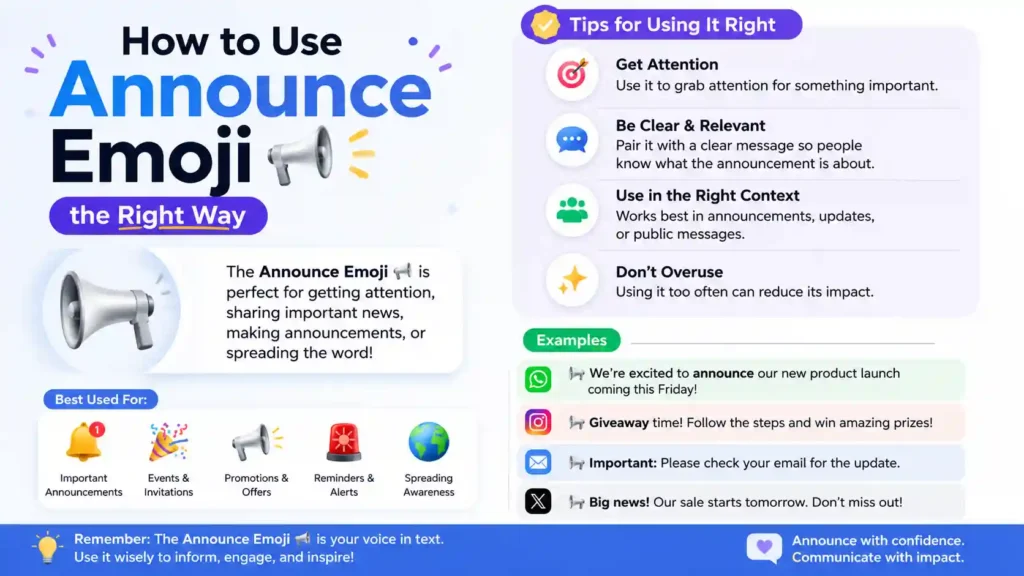
On WhatsApp, announcement emojis work especially well in personal and group conversations. A 📢 can make an important group message easier to notice, while 🔔 can make reminders feel clearer without writing a long introduction.
WhatsApp emojis can also make ordinary updates feel warmer. For example, “Quick family update 📢” immediately signals that the next line deserves attention.
Instagram emojis tend to work differently because presentation matters more. Instagram emojis can become part of captions, announcements, event posts, profile updates, and promotional content.
A short caption such as “Something new is coming 🆕” can create curiosity without making the caption overly complicated. Using one or two symbols often keeps the message clean.
TikTok is more flexible and playful. TikTok users may use announcement-style emojis for humor, dramatic introductions, ironic statements, or attention-grabbing captions.
For example, “Okay, important announcement 📢” can be used seriously or humorously depending on what comes next. Context is what gives the symbol its personality.
1.Do: Use an announcement emoji when it supports the message.
2.Do: Keep the number of emojis reasonable.
3.Do: Match the symbol with the seriousness of your announcement.
1.Don’t: Add 🚨 to ordinary news just to make it look dramatic.
2.Don’t: Fill every sentence with announcement symbols.
3.Don’t: Assume every emoji carries exactly the same meaning across conversations.
Best announce emoji combos — copy & paste
The following copy paste emojis use only the announcement-focused family introduced above, so you can quickly adapt them for messages, captions, and status updates.
Romantic
1.👉 💬📩 — Use when sending someone a sweet personal update.
2.👉 🔔💬 — Use when you want someone special to notice your message.
3.👉 🗣️📩 — Use before sharing something meaningful with someone close.
Cute
1.👉 🆕🎉 — Use for a cute little announcement about something new.
2.👉 💬🎉 — Use when sharing happy news in a friendly way.
3.👉 📢🎉 — Use for an excited announcement that you want friends to notice.
Flirty
1.👉 💬🆕 — Use before revealing a playful new message or surprise.
2.👉 📩🎉 — Use when sending an exciting personal update.
3.👉 🗣️💬 — Use as a playful introduction before starting a conversation.
Missing someone
1.👉 📩💬 — Use when you are reaching out after thinking about someone.
2.👉 📨💬 — Use when waiting for or responding to a meaningful message.
3.👉 🔔📩 — Use as a playful reminder to check in with someone.
Good night
1.👉 💬🔔 — Use before a gentle bedtime reminder or message.
2.👉 📩🆕 — Use when sending a final update before going offline.
3.👉 🗣️💬 — Use before sharing a short good-night thought.
Trending announce emoji in 2026
Emoji trends in 2026 continue to reflect how people use symbols as visual shortcuts for tone and context. Announcement-related emojis are especially useful because they can act almost like mini headlines before a sentence.
📢 remains a natural choice when the goal is direct attention. It fits announcements, reminders, community posts, and playful statements across messaging and social platforms.
🎉 is particularly useful when an announcement carries positive energy. Content creators, friends, and brands can use it when revealing an achievement, event, launch, or other happy update.
🆕 works well with digital content because it quickly communicates freshness. It can appear beside announcements about new posts, features, products, videos, or other updates.
💬 is useful when the announcement is designed to start a conversation rather than simply broadcast information. It fits casual social content and personal messages particularly well.
| Emoji | Why trending | Who uses it | Platform |
|---|---|---|---|
| 📢 | Quickly signals an announcement | Creators, groups, everyday users | WhatsApp, Instagram, TikTok |
| 🎉 | Adds excitement to good news | Friends, creators, brands | Instagram, WhatsApp, TikTok |
| 🆕 | Highlights new information | Creators and businesses | Instagram, TikTok, WhatsApp |
| 💬 | Encourages conversation | Everyday users and creators | WhatsApp, Instagram, TikTok |
As online communication evolves, emoji use generally continues shifting with new conversation styles, memes, visual habits, and platform cultures.
FAQs:
1. What is the most popular announce emoji?
📢 is one of the clearest choices because its visual design immediately suggests making an announcement or getting attention. It works in both casual and public messages.
2. What does 📢 mean from a girl or boy?
📢 does not have a fixed meaning based on whether the sender is a girl or boy. Its meaning usually depends on the message, relationship, and conversation around it.
3. Why do emojis look different on iPhone vs Android?
Emoji designs are created by individual platforms and operating systems, so the same Unicode emoji can have a different visual appearance. The basic idea generally stays recognizable.
4. Are announce emoji used differently in other countries?
Yes. Emoji meanings can be influenced by language, culture, online communities, and local messaging habits. Context is often more important than a single universal interpretation.
Conclusion
Announcement emojis are a simple way to give digital messages more visual direction and personality.
Choose symbols that naturally match the importance, mood, and purpose of your message.
Whether you are posting, chatting, or sharing news, a well-placed emoji can help your words get noticed.
Meta Description: Discover the announce emoji 📢, its meanings, copy-paste uses, platform tips, 2026 trends, and creative combos for WhatsApp, Instagram, and TikTok today.

Nasrullah — Emoji Strategist & Content Writer
Nasrullah is a passionate emoji enthusiast and content writer who loves exploring the meanings, uses, and cultural context behind emojis. He creates simple, helpful, and easy-to-understand guides that help readers choose the right emoji for WhatsApp, Instagram, Facebook, texting, and everyday conversations.
With a focus on emoji meanings, combinations, social media usage, and modern digital communication, Nasrullah aims to make every emoji easier to understand and use with confidence. His content combines practical examples with clear explanations so readers can quickly find the meaning and usage they are looking for.
When he’s not researching emojis, Nasrullah enjoys exploring digital trends, writing useful online content, and learning about how people communicate in the digital world. 😊