You open Slack to check a project update, and someone replies with a tiny custom emoji that makes the whole team laugh. Another coworker uses a familiar celebration icon to mark a finished task, while your manager reacts with a simple checkmark to approve a decision. These small details can make everyday conversations feel more personal.
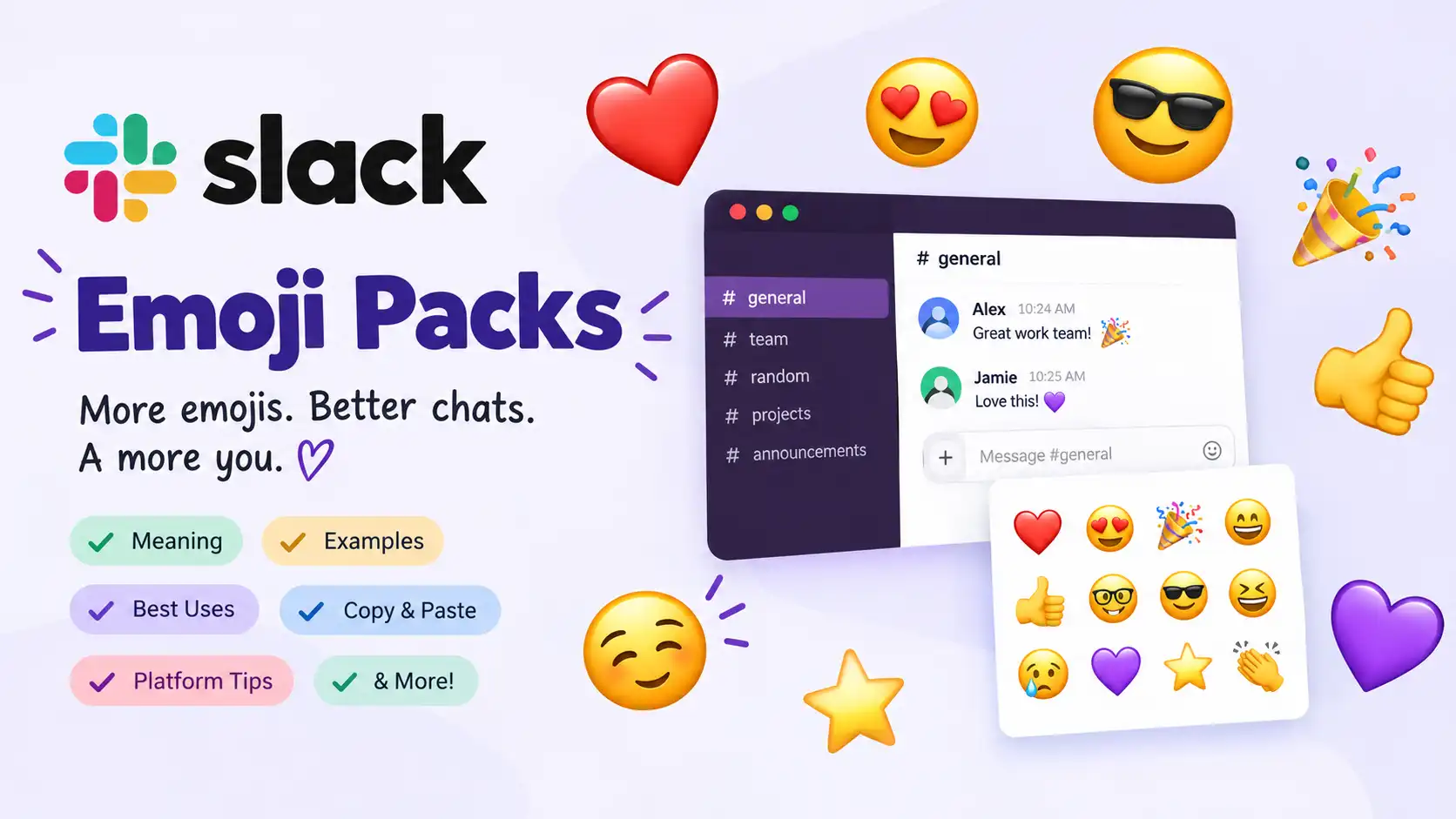
Slack emoji packs help teams add personality to their workspace by introducing collections of custom emojis for reactions, messages, announcements, and inside jokes. Instead of relying only on the standard emoji keyboard, you can use images that reflect your team’s culture, projects, hobbies, or sense of humor.
Whether you want professional reactions, funny team mascots, or creative icons for project updates, the right collection can make communication more expressive. 🎉 However, the best choice depends on your workplace, the people using it, and the message itself. An emoji that feels friendly in a casual team channel might seem confusing in a formal discussion.
This guide explores Slack emoji packs, practical examples, customization ideas, and tips for using them naturally in 2026.
The best Slack emoji packs give your team a shared visual language, making everyday messages more expressive, recognizable, and fun. ✨
8. What Do Slack Emoji Packs Mean?
Slack emoji packs are collections of custom emoji designed to give a Slack workspace a more personal visual style. Unlike a single standard emoji, a pack groups related images together so people can express reactions, communicate progress, celebrate wins, or share workplace humor consistently. Slack’s built-in emoji pack feature lets eligible members add a collection to their workspace through the emoji picker.
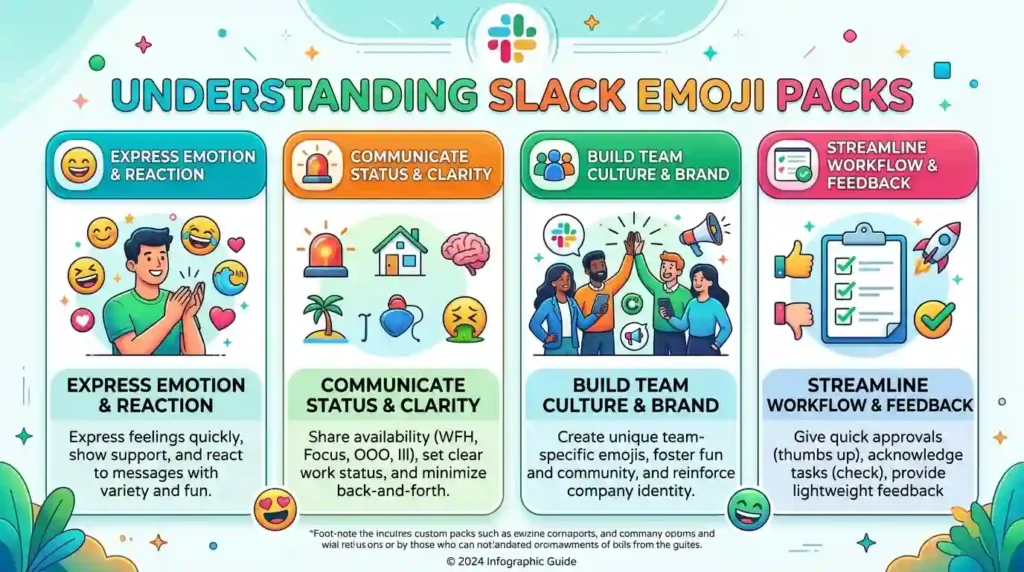
The word pack is important here. A collection might focus on remote work, gratitude, team celebrations, or a company’s own mascot. Some packs contain expressive faces, while others include useful status symbols or custom lettering.
Here are six familiar symbols that can fit naturally into a workplace emoji collection:
- 🎉 Celebration: Recognizes a completed project, successful launch, or team achievement.
- ❤️ Appreciation: Adds warmth to a thank-you message or a supportive response.
- ✨ Positive emphasis: Highlights an exciting idea, useful contribution, or polished result.
- 👀 Attention: Suggests that someone is looking at an update or wants to know more.
- 🙌 Team spirit: Celebrates collaboration, progress, or a shared success.
- 💬 Conversation: Signals discussion, feedback, or a topic that deserves attention.
These examples are standard emoji, not a claim that every Slack pack contains them. Custom packs can include entirely different artwork, such as a company mascot or an illustration created for a particular team.
The emotional meaning depends on the situation. A celebration symbol beneath a finished task feels encouraging, but the same reaction beneath a minor update could seem exaggerated. Likewise, a heart can express gratitude between colleagues without suggesting romance.
Relationship matters, too. Close teammates may understand a funny custom face immediately, while a new employee may need an explanation. Company culture, message wording, and the channel’s purpose all affect interpretation.
Ultimately, Slack emoji packs are most useful when they make communication easier, more recognizable, and more enjoyable. They should support the message rather than replace important information or leave coworkers guessing.
Slack emoji pack examples
| Emoji | Core meaning | Possible misread | Best used when |
|---|---|---|---|
| 🎉 | Celebration | Too enthusiastic | Announcing a milestone |
| ❤️ | Appreciation | Romantic affection | Thanking a teammate |
| ✨ | Positive emphasis | Unclear sarcasm | Highlighting an idea |
| 👀 | Attention | Pressure or suspicion | Reviewing an update |
| 🙌 | Shared achievement | Overly casual tone | Recognizing teamwork |
| 💬 | Discussion | Vague request | Inviting feedback |
10 useful Slack emoji cards
🎉 Celebration
Meaning: Recognizing success or progress.
Example 1: The new feature is live! 🎉
Example 2: We finished the client presentation ahead of schedule 🎉
❤️ Heart
Meaning: Showing appreciation or support.
Example 1: Thanks for helping me fix that issue ❤️
Example 2: Really appreciate everyone’s effort this week ❤️
✨ Sparkles
Meaning: Adding positive emphasis to an idea or result.
Example 1: The revised design looks fantastic ✨
Example 2: This is a lovely improvement to the dashboard ✨
👀 Eyes
Meaning: Showing attention or interest.
Example 1: Taking a look at the latest draft 👀
Example 2: Interesting update. I’ll review the details 👀
🙌 Raised Hands
Meaning: Expressing shared excitement or achievement.
Example 1: Great collaboration on this release 🙌
Example 2: We finally resolved the issue 🙌
💬 Speech Balloon
Meaning: Drawing attention to a conversation or discussion.
Example 1: I’ve added my feedback to the thread 💬
Example 2: Let’s discuss the proposal tomorrow 💬
✅ Check Mark
Meaning: Confirming completion or approval.
Example 1: The requested changes are complete ✅
Example 2: I’ve checked the final document ✅
🚀 Rocket
Meaning: Signaling momentum, a launch, or forward progress.
Example 1: The campaign is ready to launch 🚀
Example 2: We’re making excellent progress on the rollout 🚀
🙏 Folded Hands
Meaning: Expressing thanks or making a polite request.
Example 1: Thanks for sending those files so quickly 🙏
Example 2: Please share your feedback by Friday 🙏
💡 Light Bulb
Meaning: Highlighting an idea or suggestion.
Example 1: I have an idea for simplifying this process 💡
Example 2: That suggestion could save us time 💡
🔥 Fire
Meaning: Expressing enthusiasm or strong approval.
Example 1: This week’s presentation is looking great 🔥
Example 2: Excellent work on the latest update 🔥
9. How to Use Slack Emoji Packs the Right Way?
The best emoji collection is one your teammates can understand without learning a complicated codebook. Start with a clear purpose, choose recognizable designs, and make sure the pack suits the way your team communicates.
WhatsApp 💬
Slack emoji packs are made for Slack, so they do not automatically install as a collection in WhatsApp. However, you can use the same ideas to create a consistent style for your team chats.
- Personal chats: Use 🎉 to celebrate good news or ❤️ to thank a colleague who has helped you.
- Family conversations: Share a familiar reaction when someone announces an achievement or organizes an event.
- Friendships: Use funny custom artwork when everyone understands the joke.
- Emotional messages: Choose a supportive reaction that complements your words.
- Status updates: Use ✨ to highlight a personal milestone or an exciting announcement.
For example: “The project is finally finished. Thanks for all your help! 🙌”
Instagram 📸
Instagram is more visual than a typical work chat, so custom emoji artwork can inspire a consistent look for captions, comments, and team-related posts.
- Captions: Use a celebration symbol to highlight a launch or achievement.
- Comments: Leave a short, relevant reaction beneath a teammate’s announcement.
- Bios: Choose a small number of symbols that reflect your professional identity.
- Aesthetic posts: Use matching visual elements instead of combining unrelated decorations.
- Reels: Add a relevant reaction to a behind-the-scenes clip or team celebration.
For example: “A little teamwork, a lot of progress, and one exciting launch. 🚀”
TikTok 🎵
TikTok conversations often include humor, quick reactions, and playful trends. A custom Slack emoji image might need to be exported or recreated before it can be used elsewhere.
- Captions: Use a recognizable reaction to reinforce the video’s mood.
- Comments: Respond to a funny workplace moment with a fitting expression.
- Humor: Use an inside-joke image when your audience understands its meaning.
- Irony: Be careful with reactions that could appear sarcastic without context.
- Trends: Adapt familiar visual ideas without assuming every trend will suit your audience.
For example: “When the final bug disappears five minutes before launch. 👀”
Facebook posts, comments, and Messenger conversations can also benefit from familiar visual reactions. Use a celebration symbol for a team milestone, a heart for appreciation, or a checkmark when confirming a completed task.
Remember that these are examples of how to reuse emoji ideas, not instructions for installing Slack packs on other platforms. Custom Slack images and standard Unicode emoji have different sharing options.
10. Do’s and Don’ts for Slack Emoji Packs
Custom reactions can make teamwork more enjoyable, but a little consistency goes a long way.
Do
- Match the message: Use 🎉 for a real achievement and ✅ for a completed task.
- Consider your audience: A playful reaction may suit a close team but not a formal client channel.
- Keep labels clear: Names such as
:project-done:are easier to understand than mysterious abbreviations. - Use context: Add a short sentence when a reaction alone might be confusing.
- Check permissions: Ask a workspace owner or administrator if you cannot add a pack.
- Choose readable artwork: Simple designs are easier to recognize at small sizes.
Don’t
- Use reactions randomly: Too many unrelated symbols can make important updates harder to scan.
- Assume universal meanings: A humorous image may mean something different to another team.
- Overload serious discussions: Keep sensitive workplace conversations clear and respectful.
- Use inside jokes everywhere: New employees and external partners might not understand them.
- Assume every pack is available: Pack contents must be added to the relevant workspace before teammates can use them.
A useful rule is to make each custom reaction serve a purpose. If an emoji does not clarify, acknowledge, or appropriately lighten the conversation, plain text may be the better choice.
11. Why Do Slack Emoji Packs Look Different on iPhone and Android?
Slack emoji packs can look different across devices because the app displays images and standard emoji using different rendering methods.
Standard emoji are defined through Unicode, which provides shared character definitions. Companies such as Apple, Google, Samsung, and Microsoft can design their own artwork for those characters. As a result, the same emoji may have different colors, shapes, proportions, or facial expressions depending on the device and software.
Custom Slack emoji work differently. They use uploaded image files, such as PNG, JPG, or GIF, rather than relying entirely on each device’s standard emoji artwork. Slack recommends square images under 128 KB, and animated GIFs can contain up to 50 frames.
Here is what that means in practice:
- Shape: A standard face may have a slightly different outline on another operating system.
- Color: Standard emoji artwork may use different shades across platforms.
- Expression: Small differences can affect how a face appears emotionally.
- Size: A custom image can look detailed in a large preview but become harder to read as a tiny reaction.
- Style: A pack may use flat illustrations, photographs, bold lettering, or animated artwork.
For example, the standard 🚀 symbol may look slightly different on an iPhone and an Android phone. A custom rocket uploaded to Slack uses its own image design, although its displayed size and surrounding interface may still vary.
Neither platform is automatically more correct. The important thing is to select artwork that remains recognizable at the size where teammates will use it.
Before adding a large collection, preview several images in the actual message composer and reaction picker. Test them against light and dark backgrounds where possible. Simple shapes, strong contrast, and descriptive names generally make custom emoji easier to recognize.
12. Best Slack Emoji Pack Combos, Copy and Paste
Emoji combinations can help teams develop a recognizable style for celebrating milestones, acknowledging help, and sharing project updates. These examples use standard emoji that you can type directly into Slack. They are not special pack codes, and they do not need to be installed first.
Romantic ❤️
These combinations are better suited to friendly appreciation or personal messages than formal workplace announcements.
- 👉 ❤️✨: Use this to send a warm thank-you to a close teammate.
- 👉 ❤️🙌: Use this to celebrate a friend’s or colleague’s achievement.
- 👉 ❤️💬: Use this to introduce a thoughtful personal message.
Cute 🥰
Lighthearted combinations can work well in relaxed channels where teammates enjoy friendly conversation.
- 👉 ✨🎉: Use this to celebrate a small win.
- 👉 💡❤️: Use this to appreciate a thoughtful idea.
- 👉 🙌✨: Use this to recognize a helpful contribution.
Flirty 😉
These examples suit informal conversations between people who already understand each other’s tone. They are not recommended for unwanted flirting in professional channels.
- 👉 👀✨: Use this to react playfully to an exciting reveal.
- 👉 ❤️💬: Use this for a warm, personal conversation.
- 👉 🔥✨: Use this to compliment an impressive result.
Missing Someone 💭
Use these combinations in personal chats when a teammate or friend is away, rather than assuming that a missing-person reference belongs in every workplace channel.
- 👉 ❤️💬: Use this to send a thoughtful message to someone who is away.
- 👉 🙏❤️: Use this to express appreciation for someone’s support.
- 👉 👀💬: Use this to invite a conversation when the person returns.
Good Night 🌙
These combinations are best for casual team chats, end-of-day sign-offs, or friendly conversations with colleagues in different time zones.
- 👉 ✨❤️: Use this for a warm end-of-day message.
- 👉 🙌✨: Use this to sign off after a productive day.
- 👉 💬❤️: Use this to finish a friendly conversation on a positive note.
Tip: To create a genuine custom combination for your workspace, pair these standard symbols with a relevant custom pack image when appropriate. Keep the meaning obvious, especially in project channels where people scan messages quickly.
13. Trending Slack Emoji Packs in 2026
Slack emoji packs are useful because teams want reactions that feel relevant to their work, not just a generic collection of faces. Workplace communication often involves quick acknowledgments, launch announcements, shared humor, and expressions of gratitude.
Slack’s official customization feature supports adding packs to a workspace, while third-party directories offer collections organized around themes such as work, reactions, animals, entertainment, and celebrations. Availability and popularity can vary, so these categories should be treated as useful discovery ideas rather than a verified ranking of the year’s most popular packs.
Here are four practical emoji styles worth considering in 2026.
1. Celebration and achievement packs 🎉
These collections focus on launches, completed tasks, milestones, and team successes. Creators can use them to give announcements a consistent visual style, while coworkers can react without writing a full reply.
They work particularly well in project channels, release updates, and team announcements.
2. Appreciation and gratitude packs ❤️
Gratitude-themed collections help teammates recognize contributions and thank each other. They can be especially useful in distributed teams where people may not meet in person every day.
Choose reactions that communicate warmth without making professional praise feel overly personal.
3. Creative emphasis packs ✨
These collections use visual accents to draw attention to new ideas, improved designs, and noteworthy contributions. They can make a busy channel easier to scan when used consistently.
Avoid relying on decorative reactions when an important decision needs a written explanation.
4. Attention and feedback packs 👀
These collections can help teams communicate that an update needs review or that someone is following a discussion. However, an attention reaction should not replace an explicit request, deadline, or assignment.
For example, add a reaction to acknowledge a draft, then write who needs to review it and when.
Emoji pack discovery table
| Emoji | Why it is useful | Who uses it | Platform |
|---|---|---|---|
| 🎉 | Recognizes milestones | Project teams | Slack |
| ❤️ | Expresses appreciation | Coworkers and collaborators | Slack |
| ✨ | Highlights ideas and results | Creative teams | Slack |
| 👀 | Acknowledges updates | Reviewers and teammates | Slack |
These are practical use cases, not measured trend rankings. The most appropriate collection is the one that fits your team’s communication habits and remains easy for everyone to understand.
Emoji usage continues to evolve as workplace communities develop their own shared references, humor, and ways of acknowledging each other.
14. Slack Emoji Pack Meanings in Different Contexts
A custom emoji can communicate different things depending on who sends it, which channel it appears in, and what happened immediately before the message. The same reaction might feel encouraging in one conversation and confusing in another.
Romantic conversations
Colleagues sometimes become friends, and personal conversations can include affectionate reactions. A heart may express appreciation or closeness, but it does not automatically indicate romantic interest.
Example: “Thanks for checking in on me ❤️”
Friendship
Friends who work together may develop their own emoji-based jokes. A custom face or familiar reaction can acknowledge a shared experience without requiring a long explanation.
Example: “You remembered the deadline this time 🎉”
Family
If your family uses Slack for a shared project or community activity, simple reactions can acknowledge plans and updates. Clear wording still matters when someone needs to take action.
Example: “I’ve uploaded the photos for everyone to review 💬”
Professional and casual communication
In a formal channel, a checkmark may acknowledge that a task is complete. In a casual channel, a celebratory reaction may communicate excitement about the same result.
Example: “The report is ready for review. Please leave your comments by Thursday. ✅”
Texting and social media comments
When people reuse emoji ideas outside Slack, their interpretation depends on the audience and platform. A playful reaction in a friend’s comment thread might feel out of place beneath a serious professional announcement.
Example: “That looks like a fantastic launch! ✨”
Captions and team announcements
For public-facing posts, select images that are easy to understand without inside knowledge. A company mascot can build recognition, but a private joke may confuse customers who have never seen it before.
The main principle is simple: choose reactions that match the relationship, message, and setting. If an emoji could be misunderstood, add a few words to make your intention clear.
15. How to Copy and Paste Slack Emoji Packs
You can copy standard emoji from the line below and use them in messages or captions.
Copy and paste emoji
Select the symbols you want to use.
🎉 ❤️ ✨ 👀 🙌 💬 ✅ 🚀 🙏 💡 🔥 Copy all emoji
To use a standard emoji in Slack:
- Select and copy the symbol you want.
- Open Slack and choose a channel or direct message.
- Paste the symbol into the message field.
- Add your text, then send the message..
To install an actual Slack emoji pack, open the emoji picker, select Add Emoji, switch to the Emoji packs tab, choose a collection, and select Add Pack. The exact options available depend on your permissions and workspace configuration.
For Instagram, TikTok, and other platforms, standard Unicode emoji can usually be pasted directly. Custom Slack images may require a separate upload or another supported method.
16. Frequently Asked Questions
1. What is the most popular Slack emoji pack?
There is no single pack that is best for every team. Celebration, workplace reaction, gratitude, and status collections are useful starting points, but your team’s needs should guide your choice.
2. What does a custom Slack emoji mean when someone sends it?
Its meaning depends on the image, message, relationship, and conversation. A reaction might show appreciation, humor, agreement, or attention. Ask the sender if an unfamiliar custom emoji is unclear.
3. Why do emojis look different on iPhone and Android?
Standard emoji use Unicode character definitions, while Apple, Google, Samsung, and other companies design their own artwork. Custom Slack emoji use uploaded images, so their appearance depends on the image itself and how it is displayed.
4. Are Slack emoji packs used differently in other countries?
They can be. Teams in different regions and communities may interpret humor, gestures, and visual references differently. Consider your audience and explain unfamiliar custom images when necessary.
17. Conclusion
Slack emoji packs can make workplace communication more personal, expressive, and enjoyable when teams choose collections that suit their needs. 🎉
Start with useful reactions, clear names, and recognizable designs, then add custom artwork that reflects your team’s personality.
Use each emoji thoughtfully, and let your words carry the important details. ✨

Nasrullah — Emoji Strategist & Content Writer
Nasrullah is a passionate emoji enthusiast and content writer who loves exploring the meanings, uses, and cultural context behind emojis. He creates simple, helpful, and easy-to-understand guides that help readers choose the right emoji for WhatsApp, Instagram, Facebook, texting, and everyday conversations.
With a focus on emoji meanings, combinations, social media usage, and modern digital communication, Nasrullah aims to make every emoji easier to understand and use with confidence. His content combines practical examples with clear explanations so readers can quickly find the meaning and usage they are looking for.
When he’s not researching emojis, Nasrullah enjoys exploring digital trends, writing useful online content, and learning about how people communicate in the digital world. 😊