You are chatting with someone, talking about work, or telling a friend that you are finishing an assignment. Instead of writing a long explanation, you add 💻, and the message suddenly feels more visual.
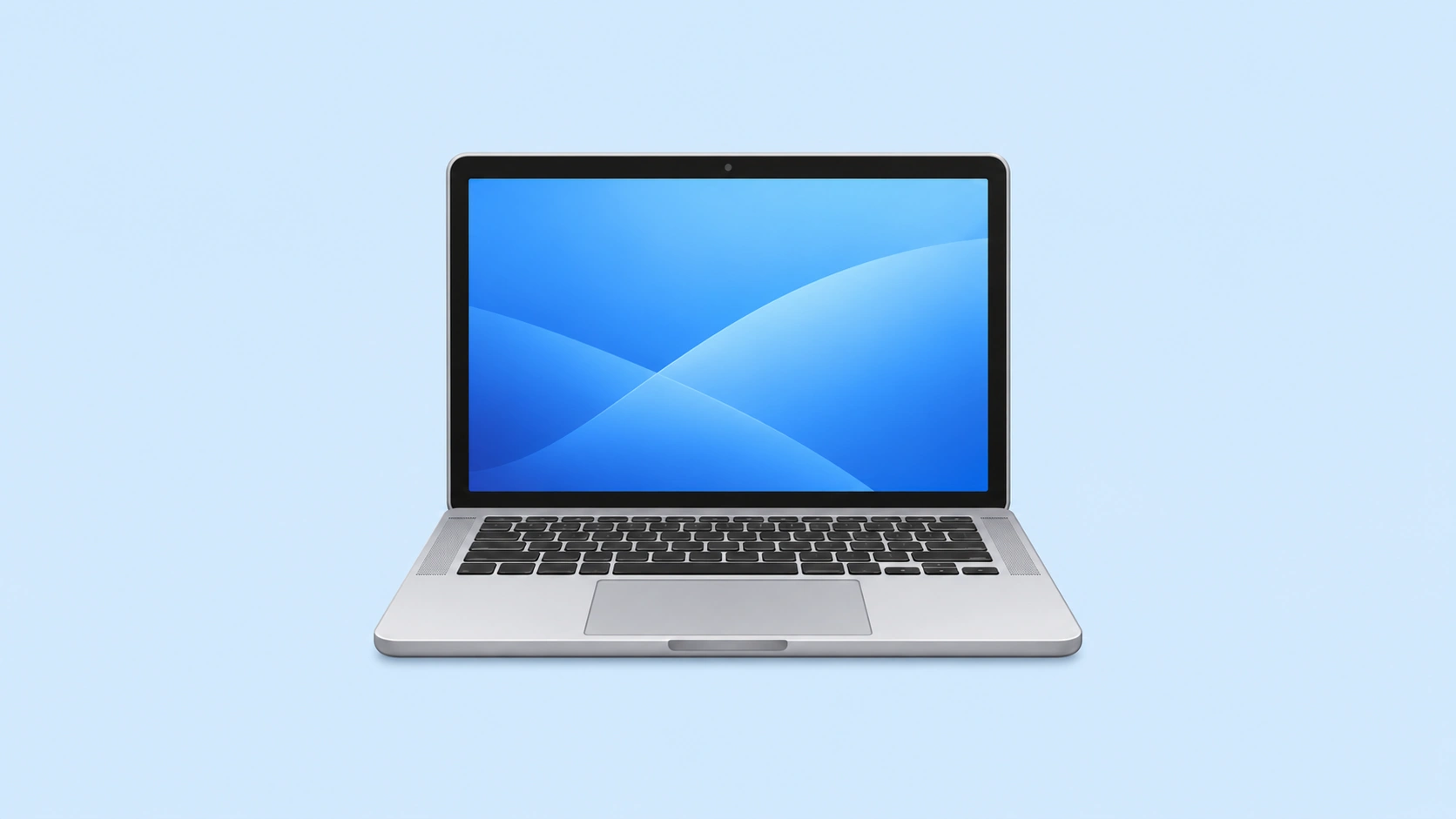
That is why people searching for the Macbook emoji often want to know whether 💻 specifically means a MacBook, or whether it simply represents a laptop. The short answer is that 💻 is officially a laptop computer emoji, not a dedicated Apple or MacBook symbol. Still, it can naturally be used when talking about a MacBook because a MacBook is a laptop.
The meaning can change with context. In one chat, 💻 may suggest work. In another, it may mean studying, coding, browsing, content creation, or simply being on your computer. Other related emojis such as 🖥️, ⌨️, 🖱️, and 🔋 can add more detail.
Sometimes 💻 is all you need to show that your day is happening behind a screen.
What Does Macbook Emoji Mean?
The 💻 emoji usually represents a laptop or portable computer. People use it for work, studying, coding, browsing, online tasks, remote work, and anything connected with using a computer. It does not officially mean “MacBook,” because Unicode defines the character as a laptop computer rather than a specific brand or model. Still, someone talking about a MacBook may naturally choose 💻 because it visually matches the idea of a laptop.
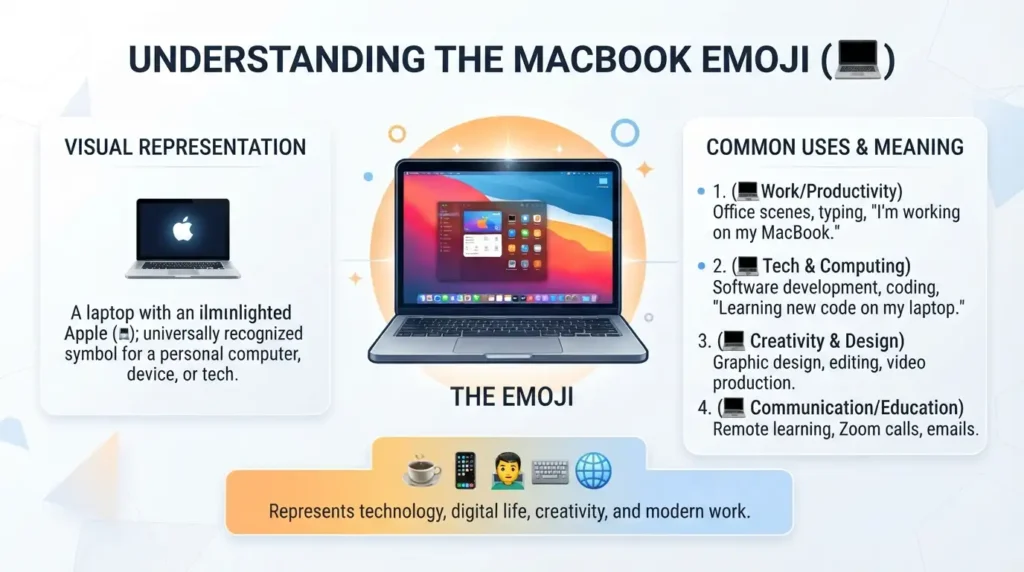
In texting, 💻 can mean “I’m working,” “I’m on my laptop,” or “I’ll handle this online.” A student might send “I’m studying 💻,” while a friend could say “Give me five minutes, I’m on my laptop 💻.” The tone is usually practical and neutral, although context can make it feel productive, professional, technical, or even cozy.
On social media, 💻 can appear in posts about work setups, coding, digital projects, online classes, content creation, freelancing, or desk routines. It can also add a simple tech feeling to a caption without naming a particular computer brand. Other computer-related emojis can reinforce the context, but the surrounding words still matter most.
There are also situations where 💻 can be interpreted more broadly. A message such as “Busy today 💻” may suggest work or study, while “Movie night 💻” may simply mean watching something on a laptop. The sender’s relationship with the receiver matters too. Between coworkers it may sound task-focused; between friends it can simply mean being online. Platform design can also change how the symbol looks, so the picture may resemble different laptop styles without changing its underlying Unicode meaning.
If someone sends 💻 after mentioning a project, deadline, class, or website, the intended meaning usually follows that topic. In casual chat, it may simply mean laptop time. Context matters most.
Macbook Emoji Meaning Table:
| Emoji | Core meaning | Possible misread | Best used when |
|---|---|---|---|
| 💻 | Laptop or computer | A specific brand | Work, study, laptop use |
| 🖥️ | Desktop computer | Any computer | Desk setups and desktop work |
| ⌨️ | Keyboard or typing | Full computer setup | Typing and writing |
| 🖱️ | Computer mouse | Gaming only | Computer navigation |
| 🔋 | Battery or power | Phone battery only | Charging and battery life |
| ⚡ | Energy or power | Electricity only | Speed, energy, charging |
| 📱 | Smartphone | General technology | Mobile communication |
| 📚 | Books or study | School only | Learning and study |
| 📎 | Attachment or office work | Paperwork only | Files and documents |
| 🧑💻 | Person using a computer | Coding only | Coding, tech, digital work |
10 Macbook-Related Emoji Cards:
💻 Laptop Computer
Meaning: A laptop, portable computer, digital work, or time spent on a computer.
Example 1: I’ll finish it on my laptop 💻
Example 2: Working from home today 💻
🖥️ Desktop Computer
Meaning: A desktop computer, workstation, or larger computer setup.
Example 1: My desk setup is finally complete 🖥️
Example 2: Editing everything on my computer 🖥️
⌨️ Keyboard
Meaning: Typing, writing, coding, or active computer work.
Example 1: Time to get some writing done ⌨️
Example 2: I have been typing all morning ⌨️
🖱️ Computer Mouse
Meaning: Computer navigation, desktop work, or interacting with digital content.
Example 1: Back to the computer for a while 🖱️
Example 2: Finishing the design on my computer 🖱️
🔋 Battery
Meaning: Battery level, power, charging needs, or device use.
Example 1: My laptop battery is almost gone 🔋
Example 2: Need to charge before I leave 🔋
⚡ High Voltage
Meaning: Energy, speed, power, or a strong technological feeling.
Example 1: Ready for a productive session ⚡
Example 2: Fast work mode today ⚡
📱 Mobile Phone
Meaning: Mobile communication, smartphones, or switching between devices.
Example 1: I’ll send it from my phone 📱
Example 2: Laptop for work, phone for messages 📱
📚 Books
Meaning: Studying, reading, education, or learning.
Example 1: Study session starts now 📚
Example 2: Finishing my course work tonight 📚
📎 Paperclip
Meaning: Files, documents, attachments, or office-related tasks.
Example 1: I attached the document 📎
Example 2: Sending the files now 📎
🧑💻 Technologist
Meaning: A person working with a computer, technology, coding, or digital tasks.
Example 1: Back to coding 🧑💻
Example 2: Building something new today 🧑💻
How to Use Macbook Emoji the Right Way?
The 💻 emoji works best when the surrounding message makes its intended meaning clear. You can use it casually, professionally, or playfully without making the conversation feel overloaded.
WhatsApp 💻
On WhatsApp, 💻 is useful when telling someone that you are working, studying, browsing, coding, or using your laptop.
Examples:
“Can’t talk right now, finishing a project 💻”
“Give me 20 minutes, I’m on my laptop 💻”
“I’ll send the document when I’m back at my desk 📎”
It can also work in family chats. A simple “Study time 📚💻” can tell your family that you are busy with school or university work. In a status, 💻 can support a short update about remote work or a productive day.
Instagram 📱
Instagram users can add 💻 to captions about desk setups, study routines, freelance work, coding, content creation, editing, or productivity.
For example:
“Late-night editing session 💻”
“New project, new workflow 💻⚡”
The emoji can also appear in comments when someone shares a computer setup or technology-related post. Because Instagram is highly visual, 💻 often works as a quick visual label rather than a detailed explanation.
TikTok
On TikTok, 💻 can support captions and comments about studying, working from home, coding, editing, gaming-related computer setups, or funny situations involving being stuck at a laptop.
For example:
“Me saying I’ll work for one hour and still sitting here three hours later 💻”
The tone may be serious, funny, relatable, or ironic depending on the video. The emoji itself does not automatically create the joke. The surrounding content gives it that tone.
On Facebook, 💻 can be used in posts, comments, Messenger chats, and work-related updates. It can fit announcements about working remotely, studying online, completing documents, or spending the day at a computer.
For example:
“Busy morning getting everything finished 💻”
It is simple enough for casual posts while still making the topic immediately recognizable.
Do’s and Don’ts:
Do:
- Use 💻 when the message genuinely relates to a laptop or computer.
- Consider your relationship with the receiver.
- Let the surrounding words establish the context.
- Pair it with related symbols when they add useful information.
- Remember that its visual design can vary between platforms.
Don’t:
- Assume 💻 officially means a MacBook or Apple product.
- Treat every computer-related conversation as having the same meaning.
- Overload a serious work message with symbols.
- Combine unrelated emojis just to make a message look busy.
- Assume 💻 automatically means work. It can also mean study, browsing, entertainment, or general computer use.
Why Does Macbook Emoji Look Different on iPhone and Android?
If you compare 💻 on an iPhone, Android phone, Windows computer, or another device, you may notice that the laptop illustration looks slightly different. That is normal.
Emojis are based on Unicode standards, which provide a common character system so devices can recognize the same emoji. However, Unicode does not force every company to draw that character in exactly the same way. Companies such as Apple, Google, Samsung, and Microsoft can create their own emoji artwork.
That means the 💻 emoji may differ in:
- Laptop shape
- Screen design
- Keyboard appearance
- Color or shading
- Size and proportions
- Overall illustration style
The underlying character is still the same. A person using an iPhone and another person using Android can send 💻 to each other even though the artwork may look different on their screens.
This is especially important for the Macbook emoji search term. If you see a laptop illustration that looks like an Apple-style computer, that does not mean Unicode has officially labeled the emoji “MacBook.” The emoji represents the broader concept of a laptop.
The same idea applies to related symbols. 🖥️ represents a desktop computer, while ⌨️ represents a keyboard. Their artwork can change from one platform to another without changing the basic Unicode character.
Best Macbook Emoji Combos, Copy & Paste:
Romantic ❤️
1.👉 💻⚡ — Use this for a playful “working hard for us” message.
2.👉 💻📱 — Use this when switching between work and chatting with someone special.
3.👉 💻❤️ — Use this for a simple affectionate message about staying connected while working.
Cute 🥰
1.👉 💻📚 — Use this for a cute study-session update.
2.👉 💻🔋 — Use this when your laptop is tired and needs charging.
3.👉 💻🧑💻 — Use this for a playful tech or work mood.
Flirty 😉
1.👉 💻📱 — Use this when pretending to be busy but still checking messages.
2.👉 💻⚡📱 — Use this for a playful fast-paced chat.
3.👉 💻🧑💻📱 — Use this when mixing work mode with a little conversation.
Missing Someone 💭
1.👉 💻📱 — Use this when working but thinking about someone’s messages.
2.👉 💻🔋📱 — Use this for a light message about waiting for your devices and chats.
3.👉 💻📚📱 — Use this when studying while missing a conversation.
Good Night 🌙
1.👉 💻🔋 — Use this when shutting down your laptop for the night.
2.👉 💻📚 — Use this for ending a late study session.
3.👉 💻📱🔋 — Use this when signing off from both laptop and phone.
Trending Macbook Emoji in 2026:
The 💻 emoji remains useful in everyday digital communication because laptops are closely connected with work, education, content creation, coding, and online activity. However, “trending” should not be confused with an official ranking. There is no universal public list that makes 💻 an officially ranked MacBook-specific emoji.
In 2026, computer-related emoji use can naturally appear across captions, comments, chats, and posts about digital work. People also combine 💻 with related symbols when they want to make a message more specific.
💻 Laptop
💻 is commonly seen when people are talking about working, studying, freelancing, browsing, writing, editing, or using a laptop.
🧑💻 Technologist
🧑💻 is useful when the focus is a person doing digital work. It can suggest coding, technology, programming, or simply spending time working on a computer.
⌨️ Keyboard
⌨️ often fits posts about typing, writing, coding, productivity, and computer-based work. It can make a laptop-related message feel more specific.
🔋 Battery
🔋 becomes useful when the conversation involves battery life, charging, or the familiar problem of running out of power during a work session.
| Emoji | Why trending | Who uses it | Platform |
|---|---|---|---|
| 💻 | Digital work and laptop use | Students, workers, creators | WhatsApp, Instagram, TikTok |
| 🧑💻 | Technology and computer work | Developers, creators, tech users | Social media, chats |
| ⌨️ | Typing and digital work | Writers, students, workers | Captions, posts, messaging |
| 🔋 | Device power and charging | Everyday device users | Chats, captions, comments |
Emoji usage keeps evolving as people find new ways to combine familiar symbols with changing online habits. The surrounding message remains the best guide to the intended tone.
Macbook Emoji Meaning in Different Contexts:
The same 💻 symbol can feel different depending on the conversation.
Romantic conversations
In a romantic chat, 💻 may simply mean that someone is busy working. It does not automatically carry a romantic message. If the surrounding conversation is affectionate, however, it can become part of a playful message about making time for someone.
Example: “I’m working now, but I’ll message you later 💻📱”
Friendship
Among friends, 💻 can mean being online, gaming, studying, editing, or working. A friend saying “I’m stuck at my laptop 💻” is usually just describing what they are doing.
Family
In a family conversation, the emoji can quickly explain that someone is studying or working.
Example: “I’m doing my assignment 💻📚”
Professional or casual communication
In professional communication, 💻 can make a message feel informal and visual. It may fit a team chat, but a more formal workplace message may not need it.
Casually, the emoji can make a short update friendlier:
“Back at my desk 💻”
Texting
In texting, 💻 often works as shorthand for laptop use. The words around it determine whether the person means work, study, browsing, writing, or something else.
Social media comments
A comment such as “That setup looks amazing 💻” can simply react to a computer workspace. In a coding post, the same emoji can support a technology-focused reaction.
Captions
For captions, 💻 works well when the visual already shows a laptop. It can reinforce the subject without taking attention away from the actual caption.
How to Copy and Paste Macbook Emoji?
If you want the commonly used laptop symbol, you can copy this emoji directly:
💻
On a phone or computer, select the emoji, copy it, and paste it wherever you need it. You can use it in WhatsApp messages, Instagram captions, TikTok comments, Facebook posts, Messenger chats, notes, and other supported text fields.
You can also save useful emoji combinations for quick access.
For example:
💻
💻⚡
💻📱
💻📚
💻🧑💻
Remember that copying 💻 gives you the standard laptop emoji character. It does not turn the symbol into an official MacBook logo or Apple-specific emoji.
FAQs:
1. What is the most popular Macbook emoji?
The most commonly used emoji for a MacBook is 💻, because it represents a laptop computer. It is not officially a MacBook-specific emoji, but it is the natural choice when someone wants to show a laptop.
2. What does 💻 mean when someone sends it?
💻 usually refers to a laptop, computer use, work, study, coding, browsing, or another digital activity. The exact meaning depends on the words and situation around it.
3. Why do emojis look different on iPhone vs Android?
Unicode provides the underlying emoji character, while companies create their own artwork. That is why 💻 can have a different appearance on Apple, Google, Samsung, Microsoft, and other platforms.
4. Are Macbook emojis used differently in other countries?
The basic laptop concept is widely recognizable, but online communities and cultural context can influence how people use emojis. The safest approach is to read the full message rather than assuming one fixed interpretation.
Conclusion:
The Macbook emoji is best represented in everyday chat by 💻, the laptop computer emoji. It can describe work, study, coding, browsing, or simply spending time on a computer.
Just remember that 💻 is not officially a MacBook-specific symbol. Its meaning comes from context, so use it naturally and let your message provide the extra detail. 💻

Nasrullah — Emoji Strategist & Content Writer
Nasrullah is a passionate emoji enthusiast and content writer who loves exploring the meanings, uses, and cultural context behind emojis. He creates simple, helpful, and easy-to-understand guides that help readers choose the right emoji for WhatsApp, Instagram, Facebook, texting, and everyday conversations.
With a focus on emoji meanings, combinations, social media usage, and modern digital communication, Nasrullah aims to make every emoji easier to understand and use with confidence. His content combines practical examples with clear explanations so readers can quickly find the meaning and usage they are looking for.
When he’s not researching emojis, Nasrullah enjoys exploring digital trends, writing useful online content, and learning about how people communicate in the digital world. 😊